You can attach receipts and notes to transactions on your Visa® Prepaid Card, and mark whether each purchase was a qualified expense. This optional feature can help you keep records of purchases, either for your own use or in case you ever need to show that a purchase was a qualified expense. For ABLE accounts, that means a Qualified Disability Expense (QDE); for 529 Savings Plan accounts, a qualified education expense. When you'd like a copy of everything in one place, you can request a Detailed Transaction Report.
In this article, you'll learn how to add receipts, notes, and qualified expense information to transactions, and how to request a Detailed Transaction Report.
Step 1 – Add receipts, notes, and qualified expense information
You can add information to transactions from the online dashboard or the True Link mobile app.
Option 1 – Online dashboard
- Go to the cardholder's Transactions tab.
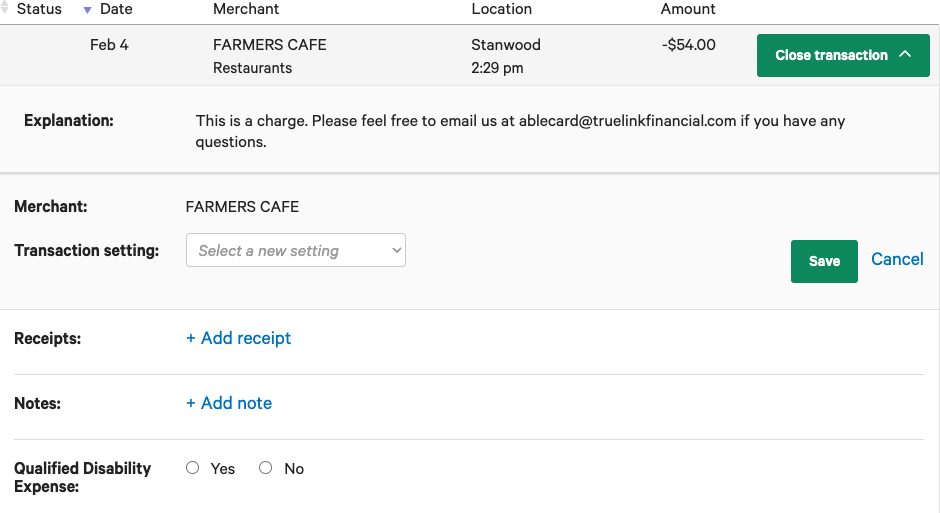
- Find the transaction and click the Review transaction button to the right of it.
- In the transaction details, you can:
- Upload a receipt.
- Add a note describing what was purchased.
- Mark whether the transaction was a qualified expense.
Option 2 – Mobile app
- Open the transaction list in the True Link mobile app.
- Tap the transaction you'd like to add a receipt to.
- Upload your receipt.
Notes and qualified expense selections can be added from the online dashboard.
Step 2 – Request a Detailed Transaction Report
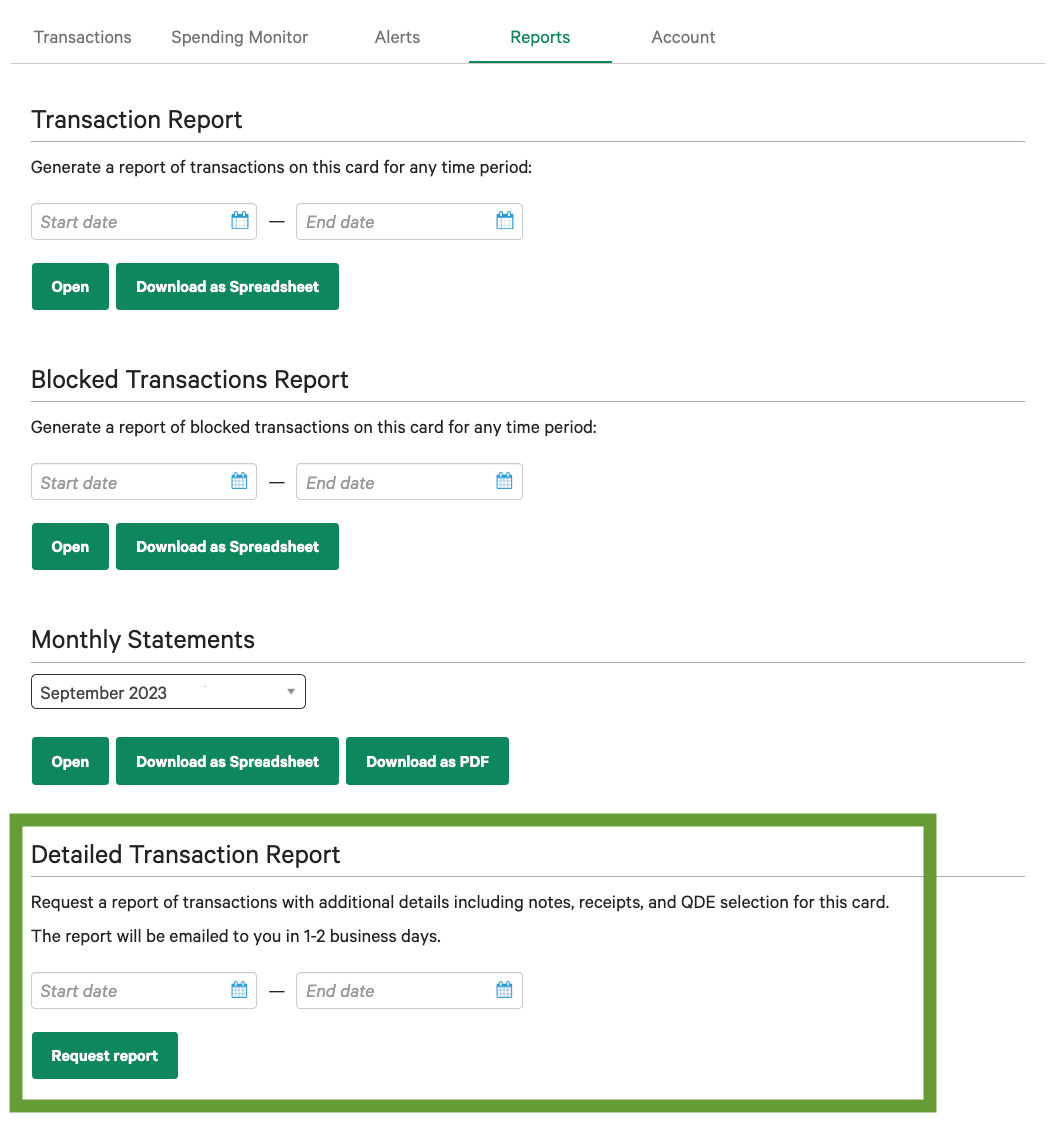
- On the online dashboard, go to the cardholder's Reports tab.
- Choose the Detailed Transaction Report and select the time period you'd like it to cover.
- Submit your request.
The report includes the transaction details along with any notes, receipts, and qualified expense information you've entered. Our team prepares it after you submit your request, and you'll typically receive it by email within 1–2 business days.
Need a report right away?
If you don't need your notes and receipts included, you can download a monthly statement or a transaction report instantly from the Reports tab. These include all transactions and funding history for the period you choose. Monthly statements for the previous month are available on the 5th of each month. To learn more, see Download Reports.
About qualified expenses
Marking a transaction as a qualified expense is a record-keeping tool for you. It doesn't change how the transaction is processed. To learn more about QDEs, see ABLE - What is a Qualified Disability Expense (QDE)?
While many consider the definition of a Qualified Disability Expense to be expansive — a wide range of expenses can contribute to a person's health, independence, and quality of life — True Link does not provide accounting, tax, or legal advice. For questions about whether a specific expense qualifies as a QDE, please consult a qualified tax professional and your ABLE plan's disclosure documents.
For 529 Savings Plan accounts, True Link likewise does not provide accounting, tax, or legal advice. For questions about whether a specific expense is a qualified education expense, please consult a qualified tax professional and your 529 plan's disclosure documents.
If you have any questions about the Detailed Transaction Report, please don't hesitate to contact our Customer Support team.